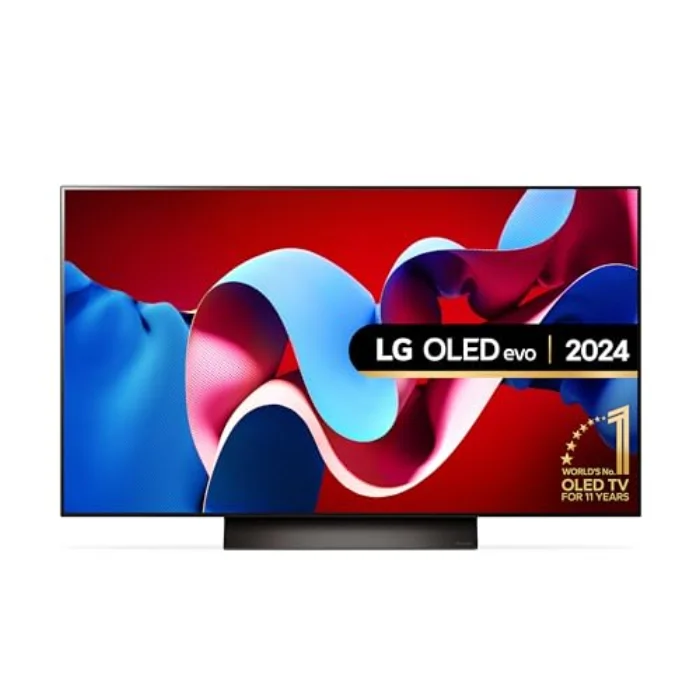
Full specifications
Below is the measured spec sheet for the 48-inch OLED48B4 we tested. Figures come from our own bench data or LG confirmed specifications.
Full specifications: LG OLED B4 48-inch (OLED48B4) | Panel type | OLED (W-OLED, 48-inch) |
| Resolution | 4K (3840 x 2160) |
| Peak brightness (10% window) | 660 nits |
| Refresh rate | 120 Hz |
| Input lag (1080p/120Hz) | 9.5 ms |
| HDMI 2.1 ports | 4 (40 Gbps) |
| Colour gamut (DCI-P3) | 97.2% |
| Smart platform | webOS 24 |
| Our rating | 4.4 / 5 |
| Typical UK price | £819.00 |
Who is the LG B4 for?
The B4 is the right TV if you want true OLED picture quality on a tighter budget, or a smaller set for a bedroom, study or desk. The 48-inch size suits a viewing distance of around 1.5 to 1.8 m, which makes it ideal as a bedroom TV or a large, gorgeous gaming monitor. Despite the lower price it keeps four HDMI 2.1 ports, 120 Hz, VRR and 9.5 ms input lag, so it is a seriously capable gaming screen. If you have always wanted OLED blacks but balked at flagship prices, this is your entry point.
It is less suited to a bright living room or a buyer chasing maximum HDR impact. At 660 nits it is the dimmest set here, so in a sunlit room highlights have less punch, and its 40 Gbps HDMI ports lack the headroom of the C4 48 Gbps inputs for future formats. If you want more brightness for the same OLED blacks, the LG C4 is the upgrade; if you want a bigger screen for a living room, the Philips OLED809 at 65 inches is worth a look.
How the LG B4 performs
Picture quality and brightness
The B4 reached 660 nits on a 10% window, around 400 nits less than the C4, so HDR highlights are visibly less intense and it is happiest in a dimmer room. Where it matches its pricier siblings is black level: a true OLED zero, giving the same effectively infinite contrast and inky shadows. Colour covered 97.2 percent of DCI-P3, a hair behind the flagships but still excellent, and out-of-the-box accuracy in Filmmaker Mode was good, with a Delta E around 3. In a normal or dim room, the B4 picture is hard to fault for the money; only in bright daylight does the brightness gap show.
Motion and processing
The B4 uses LG a8 processor rather than the C4 a9 Gen 7, so upscaling of poor sources is a touch less refined, but for HD and 4K content the difference is marginal. The panel runs at 120 Hz, handles 24 fps film without judder and, thanks to OLED instant pixel response, keeps fast motion clean.
Gaming
This is where the B4 punches above its price. We measured 9.5 ms of input lag at 1080p/120Hz, excellent for the money, and it keeps four HDMI 2.1 ports, 120 Hz, VRR with G-Sync and FreeSync, ALLM and the webOS Game Optimiser. The one caveat is the 40 Gbps HDMI bandwidth, which handles 4K/120Hz gaming perfectly well but lacks the headroom of the C4 48 Gbps ports for higher frame rates and future formats. For a PS5, Xbox Series X or PC at 4K/120Hz, it is more than enough.
Smart platform and sound
The B4 runs the same webOS 24 as the C4, so the software experience is identical and fast. The built-in 2.0-channel, 20 W speakers are modest, as you would expect at this size and price, so a soundbar is a worthwhile pairing for films. It supports Dolby Vision and Dolby Atmos.
The honest downsides
The B4 two compromises are brightness and HDMI bandwidth. At 660 nits it is the dimmest here, so it is at its best in a controlled-light room rather than a sun-filled one, and its 40 Gbps ports, while fine today, have less future headroom than the flagships. Neither matters in a bedroom, study or dim living room, which is exactly where the B4 belongs.
Best for
The B4 is best for the budget-conscious buyer who wants genuine OLED blacks, a smaller 48-inch screen for a bedroom or desk, and strong gaming credentials, without paying flagship money. If you want more brightness for a living room, step up to the LG C4; if you want a big screen, the Philips OLED809 is our large-room pick.